

Best overall for infrastructure control: Amazon Web Services. Best for a straightforward SaaS launch: Render. Best for containerized applications: Google Cloud. This guide compares the best cloud hosting platforms for SaaS startups in 2026; Ambsandigital provides custom SaaS development services rather than a hosting platform.
- The best cloud hosting platforms for saas startups depend on deployment complexity, database requirements, and operational ownership.
- Amazon Web Services is the infrastructure-control pick; Render is the default for a straightforward SaaS launch.
- Google Cloud suits containerized applications; Microsoft Azure suits Microsoft-centered environments.
- DigitalOcean suits conventional server deployments; Vercel suits Next.js frontends, not every backend workload.
Why this matters
Your hosting choice determines who handles deployments, database maintenance, incident response, and recovery. A platform that removes server administration does not remove responsibility for tenant isolation, application security, or customer data.
For a SaaS startup in 2026, the useful question is not which cloud has the longest feature list. It is which platform supports your application without creating operational work your team cannot own. Decide against the application you need to run, not an enterprise architecture you have not justified.
What makes the best cloud hosting platform for SaaS startups?
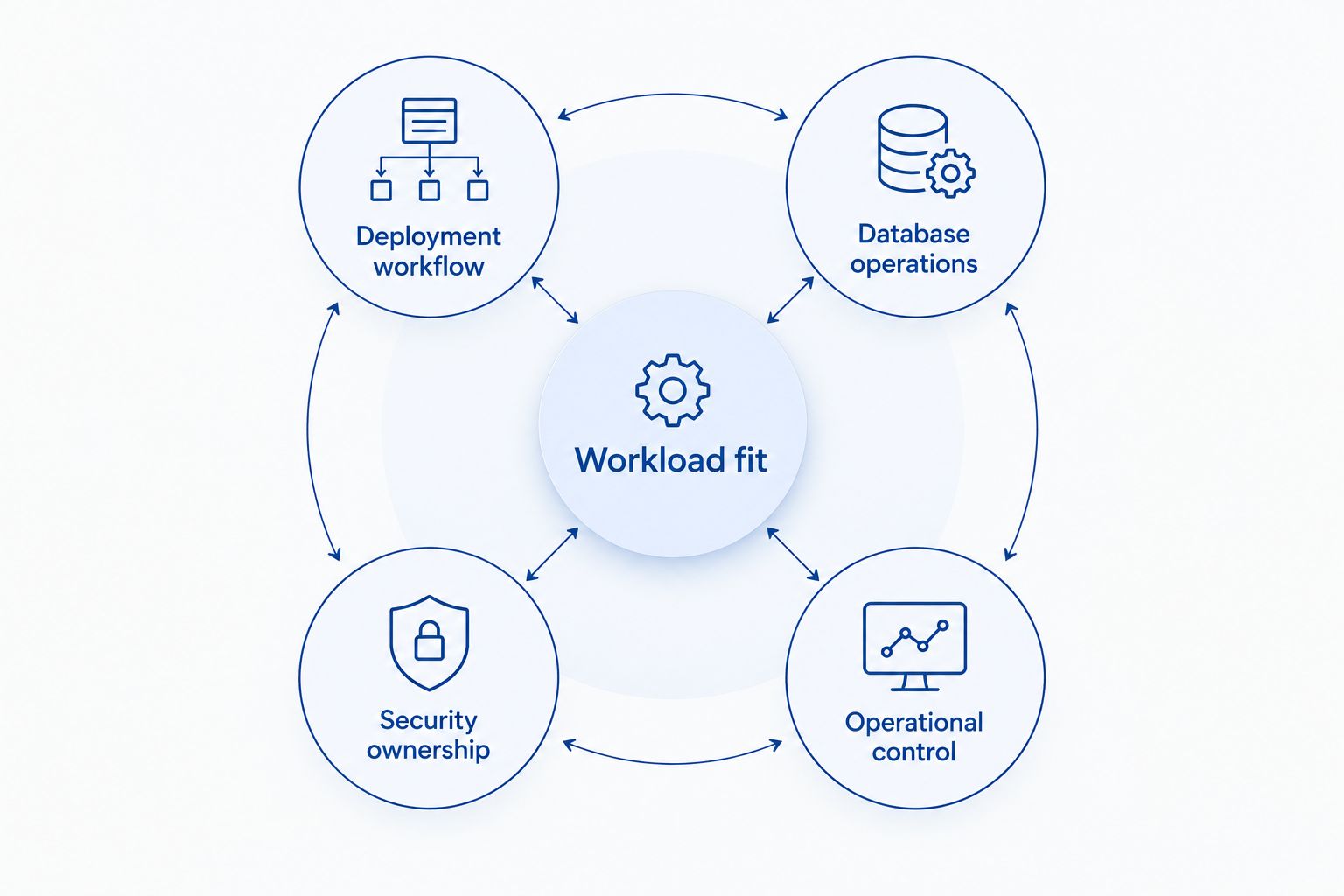
Use these criteria before comparing providers:
- Deployment workflow: Your team needs repeatable releases, environment configuration, and a documented rollback path.
- Database operations: Check backups, restore procedures, migrations, connection management, and separation between tenants.
- Workload fit: Match the platform to HTTP requests, background jobs, scheduled tasks, file processing, and persistent connections.
- Security ownership: Identify who configures identity, secrets, network access, and application permissions.
- Operational control: Decide whether managed deployment or direct infrastructure control matters more to your business.
Treat these as acceptance criteria, not a feature checklist. A provider can support your programming language and still be a poor fit for the way your application executes work. An invoice-processing job, for example, needs different execution behavior from a page request.
Cloud hosting platforms at a glance
This 2026 shortlist separates providers by their strongest use case. The order is a decision guide, not a claim that one platform wins every workload.
| Platform | Best for | Standout capability | Key limitation |
|---|---|---|---|
| Amazon Web Services | Infrastructure control | Broad selection of compute, database, and networking services | Requires deliberate service selection and operational ownership |
| Render | Straightforward SaaS launches | Managed application deployment with web services and workers | Less infrastructure control than configuring cloud resources directly |
| Google Cloud | Containerized applications | Cloud Run for managed container execution | Request-driven execution needs careful treatment of background work |
| Microsoft Azure | Microsoft-centered environments | Integration with Microsoft identity and development services | Resource configuration still requires cloud expertise |
| DigitalOcean | Conventional server deployments | Droplets alongside managed application and database services | Self-managed servers leave patching and recovery with your team |
| Vercel | Next.js frontend delivery | Framework-oriented deployments and preview environments | Not a general-purpose replacement for persistent backend workers |
1. Amazon Web Services: best cloud hosting for infrastructure control
Amazon Web Services, or AWS, provides infrastructure building blocks rather than a single prescribed SaaS deployment model. You can use virtual machines, managed containers, functions, databases, queues, and storage to assemble the application environment.
That flexibility fits a startup whose technical requirements justify explicit infrastructure decisions. It also creates work: your team must choose services, configure permissions, and understand how components behave together during failures.
Amazon Web Services pros:
- Supports different compute models within the same cloud.
- Provides managed database, messaging, and storage services.
- Allows detailed network and access configuration.
Amazon Web Services cons:
- Service selection and configuration require engineering time.
- Application operations remain a responsibility, even with managed components.
Best for: SaaS teams with infrastructure expertise or requirements that demand detailed control.
Before committing, describe the application as a set of workloads. Choose the compute model for each workload, then document who owns deployments, monitoring, and recovery. Do not start by adopting every available service.
Verdict: Buy into AWS when control is a requirement; skip an elaborate AWS architecture when a managed deployment meets the need.
2. Render: best cloud hosting for straightforward SaaS launches
Render provides managed deployment for applications, including web services and background workers. Its deployment model lets you focus on application code without first designing a virtual-machine environment.
Render is the default recommendation here for a conventional SaaS launch: a web application, a database, and asynchronous work with clearly defined boundaries. Validate the application against the platform's current execution and networking requirements before committing.
Render pros:
- Supports a direct path from a code repository to deployment.
- Separates web services from background workers.
- Reduces the need to administer underlying servers.
Render cons:
- Offers less infrastructure-level control than direct cloud configuration.
- Requires your architecture to fit the platform's supported service models.
Best for: Small development teams launching a conventional SaaS application without dedicated server administration.
Keep migrations separate from ordinary request handling. Define how a failed deployment is reversed and how database changes remain compatible with the previous application version.
Verdict: Buy into Render for a straightforward launch; hold if specialized networking or infrastructure control is essential.
3. Google Cloud: best cloud hosting for containerized applications
Google Cloud supports container-based deployments through services including Cloud Run and Google Kubernetes Engine. Cloud Run provides managed execution for containers; Kubernetes provides a different level of orchestration and operational responsibility.
For a SaaS startup in 2026, container packaging is useful when you want an explicit runtime and repeatable application delivery. It does not make every workload identical: request handling, scheduled execution, and long-running processes still need separate design decisions.
Google Cloud pros:
- Provides managed container execution through Cloud Run.
- Offers managed databases and messaging services.
- Supports a Kubernetes route when orchestration requirements justify it.
Google Cloud cons:
- Containerization does not eliminate database or security operations.
- Request-driven execution requires deliberate handling of background tasks.
Best for: Teams already building containerized applications and seeking managed execution.
Start with the simplest execution model that fits. Choose Kubernetes because you need its orchestration capabilities, not because your application has a container image.
Verdict: Buy into Google Cloud for managed container workloads; hold on Kubernetes until its additional responsibilities have an owner.
4. Microsoft Azure: best cloud hosting for Microsoft-centered environments
Microsoft Azure combines application hosting, virtual machines, databases, and identity services. Azure App Service supports managed web application hosting, while other Azure services support containers and event-driven execution.
Azure belongs on your shortlist when your application or customer environment already depends on Microsoft technologies. That connection is a reason to evaluate integration fit, not proof that every Microsoft-based application must use Azure.
Microsoft Azure pros:
- Integrates with Microsoft identity services, including Microsoft Entra ID.
- Provides managed hosting for web applications.
- Supports multiple compute and database approaches.
Microsoft Azure cons:
- Identity integration still requires correct application configuration.
- Resource organization, permissions, and deployment design require cloud expertise.
Best for: SaaS teams whose application architecture or customer integrations center on Microsoft services.
Separate customer authentication from administrative access. A working sign-in flow does not prove that tenant permissions or production administration are correctly restricted.
Verdict: Buy into Azure when Microsoft integration shapes the product; hold if that connection is incidental.
5. DigitalOcean: best cloud hosting for conventional server deployments
DigitalOcean provides virtual machines called Droplets, plus managed application and database services. You can choose direct server administration or a managed deployment approach according to your team's responsibilities.
This makes DigitalOcean relevant for SaaS teams with a conventional application stack and a clear hosting model. The important distinction is between renting a server and operating a production service: the latter includes patching, monitoring, backups, and recovery.
DigitalOcean pros:
- Supports direct deployment to virtual machines.
- Offers a managed application deployment alternative.
- Provides managed database services alongside compute.
DigitalOcean cons:
- Droplet administration remains your team's responsibility.
- A server-based architecture needs a documented failure and recovery plan.
Best for: Teams comfortable running a conventional application stack with clearly assigned server ownership.
Choose between Droplets and managed application hosting before writing deployment scripts. Those choices put different tasks on your engineering team and should not be treated as interchangeable.
Verdict: Buy into DigitalOcean for a clear, conventional hosting model; skip self-managed servers without an operations owner.
6. Vercel: best cloud hosting for Next.js frontends
Vercel provides framework-oriented deployment, particularly for Next.js applications, with preview deployments and server-side execution features. It fits frontend delivery and application workflows built around those framework capabilities.
A SaaS product can use Vercel for its frontend while using another service for persistent workers or other backend requirements. That split is an architecture choice, not a reason to force every application component into the frontend deployment platform.
Vercel pros:
- Aligns closely with Next.js application delivery.
- Provides preview environments for reviewing changes.
- Supports frontend and server-side web application execution.
Vercel cons:
- Function execution is not interchangeable with a persistent worker process.
- Separate backend hosting adds cross-service configuration and debugging work.
Best for: Next.js teams prioritizing frontend deployment and preview workflows.
Map backend work before choosing Vercel as the entire hosting environment. File processing, queue consumers, and sustained background execution deserve an explicit hosting decision.
Verdict: Buy into Vercel for Next.js frontend delivery; skip treating it as a universal backend host.
How the platforms are ranked
The ranking uses deployment workflow, database operations, workload fit, security ownership, and operational control. AWS leads for control; Render leads for a straightforward launch. The remaining positions represent distinct architecture needs, not measured performance differences.
For this 2026 guide, no provider receives a performance score or an assumed operating expense. Those conclusions require a defined workload and evidence from that workload. A matching execution model is more useful than an unsupported leaderboard.
Which cloud hosting platform should you choose?
Choose Render as the default for a conventional SaaS launch without dedicated infrastructure ownership. Choose AWS when detailed control is necessary, Google Cloud for managed container execution, Azure for Microsoft-centered integration, DigitalOcean for conventional server deployment, and Vercel for Next.js frontend delivery.
Before committing in 2026, write a deployment brief with these concrete requirements:
- 3 environments: Define development, staging, and production responsibilities.
- 2 execution paths: Separate customer requests from background processing.
- 1 restore rehearsal: Recover a backup into an isolated environment before relying on the recovery procedure.
These are planning recommendations, not platform limits. Add other requirements when your application needs them, including persistent connections, regional deployment, or customer-specific data handling.
Ambsandigital is a fit for SaaS startups that need custom software development alongside a cloud hosting decision. Ambsandigital's SaaS development services address the application itself; keep hosting selection tied to its API integrations, data model, and user workflows.
Discuss your SaaS development requirements
Define application workflows, API integrations, and hosting responsibilities for your custom SaaS product.
FAQ
What's the best cloud hosting platform for a SaaS startup?
Render is the default recommendation for a conventional SaaS launch without dedicated infrastructure ownership. AWS is the stronger fit when detailed infrastructure control is required. Choose against your execution model and operational responsibilities.
Is AWS better than Render for a SaaS MVP?
AWS is better for infrastructure control; Render is better suited to a straightforward managed deployment. An MVP does not automatically require the broader AWS service catalog. Identify the requirements that justify additional configuration.
Should a SaaS startup use Kubernetes?
Use Kubernetes when your application needs its orchestration capabilities and your team can own its operation. A containerized application alone does not establish that need. Evaluate managed container execution before adding cluster responsibilities.
Can Vercel host an entire SaaS application?
Vercel can host a SaaS application whose workloads fit its supported web application and function execution models. Persistent workers and other backend requirements need separate evaluation. Map every execution path before selecting the deployment architecture.
What should a SaaS startup check before choosing cloud hosting?
Check deployment workflow, database operations, workload fit, security ownership, and operational control. Document who handles failed releases, migrations, and recovery. Validate those procedures before production use.
Does managed hosting handle SaaS security for me?
Managed hosting does not remove your responsibility for application security. Your team still owns tenant authorization, secrets handling, application permissions, and secure integrations. Assign those responsibilities explicitly.
Does Ambsandigital provide cloud hosting or SaaS development?
Ambsandigital provides custom software and SaaS development services. It is an agency, not one of the hosting platforms ranked here. Application requirements should guide the hosting choice.
One last thing
A successful backup job is not proof that you can recover your SaaS application. Rehearse a restore with the application, database, and required configuration together. Check that authentication, tenant access, and background processing work after recovery—not just that the database starts.