

Best overall: Mendix for cross-department enterprise applications. Best for Microsoft-centered teams: Microsoft Power Apps. Best for internal operational tools: Retool. This 2026 guide compares the best low-code platforms for enterprise app development by application fit, integration requirements, governance, and the work your developers must still own.
- Mendix leads the best low-code platforms for enterprise app development shortlist for cross-department applications.
- Microsoft Power Apps is the first shortlist choice for teams already working in the Microsoft ecosystem.
- OutSystems fits custom application development; Appian fits process orchestration and case management.
- ServiceNow App Engine fits ServiceNow-centered workflows; Retool fits internal tools connected to existing systems.
- Ambsan Digital provides custom software development services, not a low-code platform.
An enterprise platform decision starts with the application, not the visual editor. If your requirements call for a custom build, Ambsan Digital provides custom app, web, and software development services for startups, small businesses, and enterprises.
Why this matters
Low-code changes how you build an application; it does not remove architecture, security, integration, or maintenance responsibilities. A straightforward approval screen can depend on complex access rules and several systems of record.
For your 2026 shortlist, separate employee-facing workflows from customer-facing products. The former often suit platform conventions; the latter require closer scrutiny of interaction design, mobile behavior, and control over the application lifecycle.
Choose the platform around your hardest requirement, not your easiest demonstration. A polished form proves little about failed integrations, conflicting permissions, or deployment recovery.
What makes the best enterprise low-code platform?
Use these criteria before reading the ranking. Each one should become a requirement in your evaluation, rather than a checkbox copied from a vendor presentation.
- Application fit: Distinguish internal tools, case management, departmental workflows, and customer-facing applications. These require different capabilities.
- Integration control: Examine authentication, API access, data ownership, error handling, and the behavior of custom connectors.
- Governance: Require a clear model for permissions, application ownership, environment separation, and approved changes.
- Developer extensibility: Identify where visual configuration stops and custom code begins. Confirm who maintains those extensions.
- Delivery lifecycle: Evaluate testing, deployment, rollback, monitoring, and the separation between development and production.
- Exit requirements: Establish how you will export data, document logic, and replace integrations if you leave the platform.
Ambsan Digital is a custom development agency, not a competing platform. Keep that distinction explicit: hiring a development partner and licensing a low-code platform are different decisions, even when both contribute to the same application.
Enterprise low-code platforms at a glance
The ranking prioritizes distinct use cases rather than treating every platform as interchangeable. For 2026, use the table to identify the closest match, then validate the limitations against your application requirements.
| Platform | Best for | Standout capability | Key limitation |
|---|---|---|---|
| Mendix | Cross-department enterprise applications | Model-driven application development | Platform-specific models require dedicated skills |
| Microsoft Power Apps | Microsoft-centered business teams | Connections across the Microsoft ecosystem | Application design must account for platform and connector constraints |
| OutSystems | Custom enterprise application delivery | Visual development with custom-code extensions | Extensions and application architecture still need engineering ownership |
| Appian | Process orchestration and case management | Process models connected to application data | A process-first approach is not the default for every product experience |
| ServiceNow App Engine | Workflows within a ServiceNow environment | Application development on the ServiceNow platform | The application remains tied to ServiceNow's architecture |
| Retool | Internal operational tools | Interfaces connected to databases and APIs | Internal-tool conventions are not a substitute for a consumer product design |
1. Mendix: best enterprise low-code platform for shared applications
Mendix supports model-driven development of web and mobile applications. Its visual development approach suits applications that combine business logic, data, and interfaces across multiple departments.
Mendix wins the default shortlist position when your application spans teams rather than serving a single isolated workflow. That does not make it the automatic choice for every project. Your developers still need to understand the platform's models and extension mechanisms.
Mendix pros:
- Visual models provide a shared reference for application logic.
- Web and mobile development fit within the platform's application approach.
- Custom extensions support requirements beyond visual configuration.
Mendix cons:
- Platform-specific expertise becomes part of your staffing requirements.
- Visual development does not eliminate integration testing or architecture decisions.
- Migrating application logic requires more planning than exporting business data.
Best for: Enterprises building shared applications across business functions.
Verdict: Buy when cross-department application development is the requirement and your team accepts ownership of platform-specific implementation skills.
2. Microsoft Power Apps: best for Microsoft-centered business teams
Microsoft Power Apps provides canvas apps and model-driven apps, with connections to Microsoft services and external systems. Dataverse supplies a data foundation for model-driven applications, while Power Automate supports associated automation.
Start here when your employees already work within the Microsoft ecosystem. Evaluate the actual application boundary, however: an existing Microsoft environment does not prove that every customer-facing or highly customized application belongs in Power Apps.
Microsoft Power Apps pros:
- Connections to Microsoft services support familiar business workflows.
- Canvas and model-driven approaches address different application requirements.
- Power Automate supports automation alongside application interfaces.
Microsoft Power Apps cons:
- Connector and platform constraints require review before architecture decisions.
- Canvas and model-driven applications involve different design approaches.
- Permissions and environment ownership need deliberate governance.
Best for: Business teams building applications around Microsoft-centered operations.
Verdict: Buy for Microsoft-centered business applications; Hold when the project depends on an unrestricted customer-facing interface or portability outside that ecosystem.
3. OutSystems: best for custom enterprise application delivery
OutSystems combines visual application development with integration and custom-code extension capabilities. It is a candidate for enterprises that need application development rather than only form-based workflow automation.
Your evaluation should concentrate on the boundary between platform-managed functionality and custom engineering. Extensions add flexibility, but they also create code that needs testing, documentation, and maintenance.
OutSystems pros:
- Visual development covers application interfaces and logic.
- Integration capabilities connect applications with existing systems.
- Custom-code extensions address requirements beyond platform components.
OutSystems cons:
- Custom extensions retain normal software maintenance responsibilities.
- Architecture and deployment decisions remain technical work.
- Platform-specific implementation complicates replacement planning.
Best for: Enterprises delivering custom applications with an engineering team responsible for integrations and extensions.
Verdict: Buy when your project requires custom application delivery within a managed platform; Hold if your overriding requirement is platform-independent application ownership.
4. Appian: best for process orchestration and case management
Appian combines low-code application development with process automation and case management capabilities. Its process-oriented approach fits work that moves through decisions, approvals, exceptions, and assigned responsibilities.
Choose Appian for the workflow problem, not because every business application contains a form. A case moving between reviewers is a different design challenge from a customer browsing a product catalog.
Appian pros:
- Process models make routing and decision logic explicit.
- Case management supports work that does not follow one fixed sequence.
- Application data and workflow can be addressed together.
Appian cons:
- A process-first approach is not the natural starting point for every interface.
- Complex exception handling still needs careful business analysis.
- Integrations and process models require named maintenance owners.
Best for: Enterprises managing approvals, service cases, and coordinated operational processes.
Verdict: Buy for process orchestration and case management; Skip as the default choice when your central requirement is a differentiated consumer product experience.
5. ServiceNow App Engine: best for ServiceNow-centered workflows
ServiceNow App Engine supports building applications on the ServiceNow platform. It fits organizations that want custom workflows to operate within their existing ServiceNow environment rather than creating a separate application foundation.
The deciding factor is architectural alignment. If the workflow belongs with ServiceNow records, permissions, and operating processes, extending that environment deserves a place on your shortlist.
ServiceNow App Engine pros:
- Custom applications operate within the ServiceNow platform.
- Workflow development connects with ServiceNow-centered operations.
- Shared platform conventions reduce the need for a separate application approach.
ServiceNow App Engine cons:
- Application architecture remains tied to ServiceNow.
- Requirements outside that environment need separate integration analysis.
- Platform customization still requires disciplined release management.
Best for: Enterprises extending workflows within an established ServiceNow environment.
Verdict: Buy when the application belongs inside ServiceNow; Skip as your default shortlist choice when no requirement connects the application to that platform.
6. Retool: best for internal operational tools
Retool provides application-building components that connect to databases and APIs. Its clearest fit is an internal interface: an operations console, administrative dashboard, or tool that lets employees work with existing business systems.
Start with the data source and the action employees need to perform. A useful dashboard is not enough if a write operation has unclear permissions or bypasses an essential business rule.
Retool pros:
- Interface components support internal application development.
- Database and API connections bring existing systems into an operational interface.
- Custom logic supports interactions beyond static reporting.
Retool cons:
- Database access and write permissions require careful controls.
- Internal-tool conventions do not replace consumer-facing product design.
- Business rules still need an explicit home and maintenance owner.
Best for: Operations teams building employee-facing tools over existing data and services.
Verdict: Buy for internal operational interfaces; Skip as the default foundation for a consumer application with specialized interaction requirements.
How the platforms are ranked
This 2026 ranking uses application fit, integration control, governance, extensibility, delivery lifecycle, and exit requirements. It is a use-case ranking, not a claim that each platform has been independently performance-tested.
Mendix takes the broad application slot; Microsoft Power Apps takes the Microsoft-centered slot. OutSystems addresses custom application delivery, Appian addresses process orchestration, ServiceNow App Engine addresses platform-centered workflows, and Retool addresses internal tools.
Do not turn this ranking into a feature-count contest. A capability matters only when it solves a requirement your application actually has.
Validate your shortlist with a working pilot
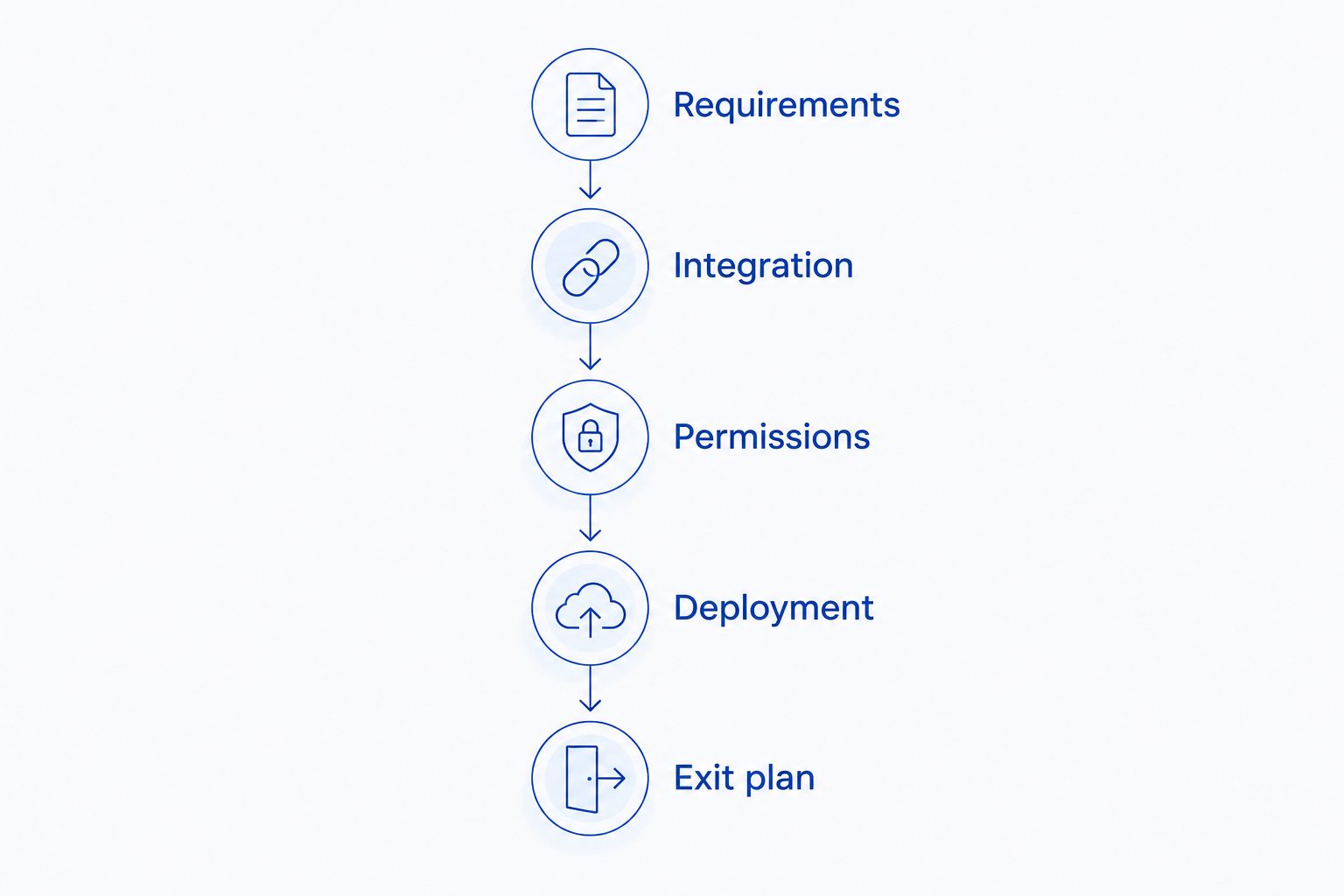
For your 2026 evaluation, use 3 representative workflows, 2 user roles, and 1 required integration as a starting pilot scope. These are recommended test boundaries, not performance benchmarks; expand them when your application's risks demand it.
Include a normal workflow, an exception path, and a failed dependency. The objective is to expose architecture and ownership decisions before your organization commits to a platform.
Requirements
Write acceptance criteria before building screens. Include the business outcome, permitted actions, sensitive data, and the system responsible for each record.
Integration
Connect the required system using the intended authentication method. Test both reading and updating data, including rejected requests and unavailable dependencies.
Permissions
Use contrasting roles, such as a requester and an approver. Confirm that restricted actions stay restricted in the interface and in the underlying data access.
Deployment
Move the pilot through separate development and production environments. Demonstrate how your team identifies a failed release and restores the previous working state.
Exit plan
Document data export, integration replacement, and the logic that exists only inside the platform. Data portability and application portability are separate questions.
Assign a named owner to every failed acceptance criterion. A pilot ends with a decision record: what the platform handles, what custom code remains, and what prevents approval.
Which enterprise low-code platform should you choose?
Start with Mendix if you need a broad cross-department application shortlist. Replace that default with Microsoft Power Apps when Microsoft-centered operations define the application, or with Retool when the requirement is an internal tool over existing systems.
Choose Appian for process orchestration, ServiceNow App Engine for ServiceNow-centered workflows, and OutSystems for custom application delivery within a low-code platform. The correct decision follows the application's primary job.
Ambsan Digital is a fit for businesses seeking custom app, web, and software development services rather than a low-code platform license. A custom development route belongs in the comparison when platform constraints conflict with your business requirements.
Discuss your application requirements
Compare your business requirements with a custom app, web, or software development approach.
FAQ
What's the best low-code platform for enterprise app development in 2026?
Mendix is the default shortlist choice in this guide for cross-department enterprise applications. Microsoft Power Apps, OutSystems, Appian, ServiceNow App Engine, and Retool each fit a different application requirement.
Is Microsoft Power Apps better than Mendix?
Microsoft Power Apps is the closer fit for Microsoft-centered business applications; Mendix is the broader shortlist choice for shared enterprise applications. Validate integrations, permissions, and deployment requirements before choosing either.
Can low-code platforms replace enterprise developers?
Low-code platforms do not remove the need for enterprise engineering ownership. Integrations, security controls, custom extensions, testing, and production support still require technical decisions.
Which platform should I shortlist for approval workflows?
Appian is the process-orchestration shortlist choice in this guide. Microsoft Power Apps and ServiceNow App Engine also deserve evaluation when the workflow belongs within their respective ecosystems.
Is Retool a good choice for customer-facing mobile apps?
Retool's recommended role in this guide is internal operational tooling, not the default foundation for a consumer mobile product. Evaluate distribution, interaction design, and mobile requirements separately from administrative interfaces.
What should I test before choosing an enterprise low-code platform?
Test representative workflows, role-based access, a required integration, deployment, and your exit plan. Include failed requests and exception paths rather than testing only successful screen interactions.
Does Ambsan Digital sell a low-code platform?
Ambsan Digital is a custom software and mobile app development agency, not a low-code platform vendor. Its stated services include iOS, Android, web, SaaS, and e-commerce development.
One last thing
Ask the platform team to demonstrate a rejected transaction, not another successful form submission. Trace who sees the failure, where it is recorded, whether retrying duplicates the action, and who resolves it.
That exercise tests the application beyond its interface. Add the result to your 2026 decision record before approving the platform.