

Best overall: Flutter for custom mobile interfaces. Best for React teams: React Native. Best for web-based MVPs: Ionic with Capacitor. This 2026 guide compares the best cross-platform app development frameworks by interface requirements, native integrations, code sharing, and the team responsible for maintaining your app.
- Flutter leads the best cross-platform app development frameworks for custom iOS and Android interfaces.
- React Native fits teams with React experience that want native mobile interfaces.
- Kotlin Multiplatform suits shared business logic without requiring a shared interface.
- Ionic with Capacitor fits web-based MVPs; .NET MAUI fits C# and .NET teams.
- Ambsandigital provides custom app development services for startups, small businesses, and enterprises.
Why this matters
Your framework determines which parts of your application you can share and which still need platform-specific development. Shared code does not eliminate separate iOS and Android builds, device testing, permission handling, or release management.
Ambsandigital provides custom app development services for startups, small businesses, and enterprises. For a cross-platform app development project, choose the framework around your hardest user workflow, not around the promise of one codebase.
The practical question in 2026 is whether your team can deliver and maintain the required experience. A booking app, an internal operations tool, and a graphics-heavy consumer app do not need the same interface architecture.
What makes the best cross-platform app development frameworks
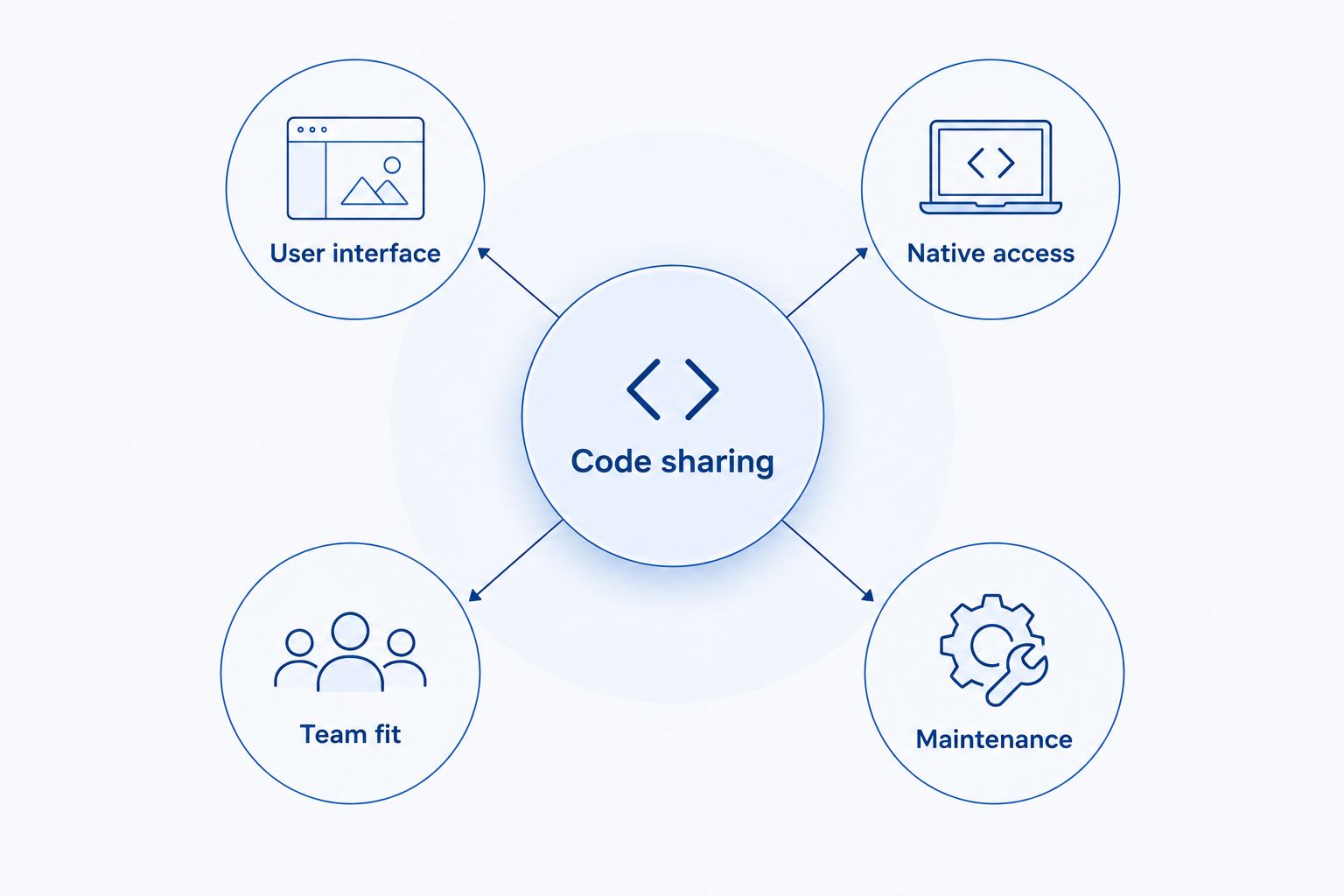
Use these criteria before comparing individual frameworks:
- User interface: Decide whether you need a consistent branded interface, native platform conventions, or an existing web experience inside a mobile app.
- Native access: Check required camera, location, notification, payment, and device integrations. Confirm the actual integration rather than assuming a plugin covers every requirement.
- Team fit: Match the language and development model to the people who will maintain the application after launch.
- Code sharing: Separate shared screens from shared business logic. These are different architectural choices, not interchangeable benefits.
- Maintenance: Review framework upgrades, dependency ownership, operating-system changes, and the work needed to keep platform integrations functioning.
A framework that fits your interface but conflicts with your maintenance team is a poor default. Treat these criteria as a selection checklist, not as independent features to collect.
Cross-platform frameworks at a glance
This 2026 ranking assigns each framework a distinct use case. Flutter is the default for a new custom mobile interface; the alternatives win when your existing team or architecture changes the decision.
| Framework | Best for | Standout feature | Key limitation |
|---|---|---|---|
| Flutter | Custom mobile interfaces | Shared Dart interface and application code | Platform integrations still require native work |
| React Native | Teams experienced in React | React-driven interfaces using native platform components | React knowledge does not replace mobile engineering |
| Kotlin Multiplatform | Sharing logic while preserving native interfaces | Selective sharing across platform targets | Separate interfaces remain separate work unless shared explicitly |
| Ionic with Capacitor | Web-based mobile MVPs | Web interfaces packaged with native capabilities | Web rendering needs validation for demanding interactions |
| .NET MAUI | C# teams building mobile and desktop tools | Shared .NET application structure across supported targets | Platform differences still require handling |
1. Flutter: best framework for custom mobile interfaces
Flutter is a cross-platform UI framework that uses Dart. Its widget system supports shared interface code across iOS and Android, making it a strong starting point when your application needs a consistent visual design.
Best for: Businesses building a custom mobile interface without an existing React or .NET preference. Flutter leads this 2026 shortlist because the interface and application logic can follow a common architecture, while platform integrations remain explicit engineering tasks.
Flutter pros
- A shared widget system supports consistent layouts and interaction patterns across mobile platforms.
- Dart application logic and interface code can live within the same project structure.
- Platform channels provide a route to native functionality when shared libraries do not cover a requirement.
Flutter cons
- A consistent custom interface does not automatically reproduce every iOS or Android convention.
- Your team must maintain Dart skills alongside the native knowledge needed for platform-specific integrations.
For a scheduling app, prototype the calendar, booking form, keyboard behavior, and notification flow before approving the architecture. These interactions reveal more about suitability than a static home screen.
Choose Flutter when interface consistency is a requirement, not merely a preference. If your product depends heavily on platform-specific screens or device APIs, include that integration work in the implementation plan.
Verdict: Buy into Flutter for a custom mobile interface; validate the hardest native integration before committing.
2. React Native: best framework for React development teams
React Native uses React to build mobile applications with native platform components. JavaScript or TypeScript can handle shared application code, while native modules connect requirements that need platform-specific implementation.
Best for: Businesses whose development team already maintains React applications. React Native preserves a familiar programming model, but a React website does not become a mobile app simply by changing the build target.
React Native pros
- React experience transfers to component structure, state management, and application composition.
- Native platform components provide a foundation for interfaces that follow mobile conventions.
- Shared JavaScript or TypeScript modules can serve application logic across mobile targets.
React Native cons
- Existing web interface components generally need adaptation or replacement for mobile use.
- Native dependencies and operating-system changes still require mobile engineering and testing.
Use React Native when team continuity matters and your mobile experience needs more than a web interface in a native container. Keep expectations about code reuse specific: business rules can be reusable even when screens are not.
Before selecting dependencies, check support for your required architecture and target platforms. An unsupported native dependency creates a maintenance obligation, regardless of how familiar the surrounding React code looks.
Verdict: Buy into React Native when React expertise is an existing asset and native mobile behavior is a requirement.
3. Kotlin Multiplatform: best for sharing business logic
Kotlin Multiplatform lets you share selected Kotlin code across platform targets. It is not a requirement to share the entire interface: a project can keep separate native screens while sharing networking, validation, data handling, and business rules.
Best for: Teams that want shared application logic without forcing identical iOS and Android interfaces. This makes Kotlin Multiplatform a different architectural choice from an all-in-one shared UI approach.
Kotlin Multiplatform pros
- Sharing can start with a defined module rather than a full application rewrite.
- Common business rules reduce the need to maintain separate implementations of the same logic.
- Native interfaces can remain platform-specific; Compose Multiplatform offers an additional shared UI option.
Kotlin Multiplatform cons
- Keeping separate native interfaces preserves separate interface development and testing work.
- Platform interoperability and shared-module boundaries require deliberate architecture.
Consider Kotlin Multiplatform when your application has substantial rules around bookings, permissions, calculations, or offline data. Sharing those rules is valuable even if the screens remain different.
Do not select Kotlin Multiplatform because you assume every screen will be shared. Define what belongs in common code and what belongs in each platform before estimating delivery work. In a 2026 evaluation, that boundary is more useful than a generic code-reuse target.
Verdict: Buy into Kotlin Multiplatform for shared business logic; skip it if you expect automatic interface sharing.
4. Ionic with Capacitor: best for web-based mobile MVPs
Ionic provides UI components for applications built with web technologies. Capacitor supplies a native runtime and plugin interface so a web application can operate inside a mobile app and connect to supported native capabilities.
Best for: Teams building a web-based MVP around forms, content, and straightforward business workflows. Ionic with Capacitor belongs on this list as a paired approach, not as a claim that web rendering and native rendering are identical.
Ionic with Capacitor pros
- HTML, CSS, and JavaScript skills carry directly into interface development.
- Web interface code can support browser and mobile delivery within a planned architecture.
- Capacitor plugins and native code provide access to device functionality beyond the browser alone.
Ionic with Capacitor cons
- A web-rendered interface needs careful validation for complex gestures, animation, and demanding interaction patterns.
- Mobile keyboard behavior, safe areas, permissions, and navigation still require device-specific attention.
A request form, appointment list, or internal approval workflow is a useful candidate for this approach. The deciding factor is whether the actual interaction works well inside the mobile environment.
Do not confuse easy access to web skills with an exemption from mobile testing. Run the app on representative devices and test transitions between forms, external authentication, and interrupted sessions.
Verdict: Buy into Ionic with Capacitor for a web-based MVP; skip it when the defining experience demands unproven interaction performance.
5. .NET MAUI: best for C# teams building business applications
.NET MAUI is a cross-platform application framework using C# and .NET, with interfaces built through XAML or C#. It supports Android, iOS, Windows, and macOS through Mac Catalyst.
Best for: Organizations with C# expertise building mobile and desktop business applications. It is a sensible shortlist candidate when your maintenance team already works within .NET rather than starting from a new language ecosystem.
.NET MAUI pros
- C# skills and .NET libraries can support shared application development.
- A shared project structure accommodates supported mobile and desktop targets.
- Platform-specific code remains available when a common abstraction does not meet the requirement.
.NET MAUI cons
- Shared UI definitions still require platform-specific behavior and layout checks.
- It is not a direct replacement for a browser application or a universal desktop framework with built-in Linux support.
Use .NET MAUI for an internal operations application when mobile and supported desktop delivery are part of the same requirement. Check barcode scanning, file handling, authentication, and other workflow dependencies individually.
Do not choose .NET MAUI solely because your backend uses .NET. Backend language and client framework are separate decisions; the people maintaining the interface need relevant client-development experience.
Verdict: Buy into .NET MAUI when C# team fit and supported desktop targets matter; skip it as a browser-first default.
How the frameworks are ranked
The ranking prioritizes interface requirements, native access, team fit, code sharing, and maintenance. It is a use-case comparison, not a measured performance benchmark or a claim that one framework wins every workload.
Flutter takes the default position for shared custom mobile interfaces. React Native, Kotlin Multiplatform, Ionic with Capacitor, and .NET MAUI take distinct slots because each changes the balance between team skills, interface implementation, and shared code.
For your 2026 shortlist, apply 3 acceptance checks before choosing:
- Core workflow: Complete the defining user task on both iOS and Android.
- Required integration: Exercise the native capability most likely to shape your architecture.
- Release path: Produce installable builds and confirm the signing and distribution workflow.
Your 2 mobile targets still need separate validation. Maintain 2 platform build paths even when most application code is shared; a successful Android build does not establish that the iOS release works.
Which cross-platform framework should you choose?
Choose Flutter if you are starting a custom mobile app and have no established team preference. Choose React Native for an experienced React team, Kotlin Multiplatform for shared logic with platform-specific interfaces, Ionic with Capacitor for a web-based MVP, or .NET MAUI for a C# team with mobile and desktop requirements.
Ambsandigital provides cross-platform app development services within its custom mobile app offering. Bring the required user workflow, integration list, and intended maintenance ownership into the framework discussion rather than requesting a technology by name alone.
Your strongest selection document is a short explanation of why the chosen framework fits those requirements—and where platform-specific work remains. Keep that decision record with the project so later feature requests do not silently change the architecture.
FAQ
What's the best cross-platform app development framework in 2026?
Flutter is this guide's default choice for custom mobile interfaces in 2026. React Native, Kotlin Multiplatform, Ionic with Capacitor, and .NET MAUI fit different team skills and architectural requirements.
Is Flutter better than React Native for a business app?
Flutter is the stronger default for a shared custom interface; React Native is the stronger fit for an experienced React team. Validate the required native integrations and core workflow before choosing either.
Can I use one codebase for both iOS and Android?
You can share substantial application code across iOS and Android, but platform-specific work remains. Builds, signing, permissions, device behavior, and releases still require separate attention.
Is Kotlin Multiplatform a complete UI framework?
Kotlin Multiplatform supports code sharing and does not require a shared interface. You can retain native interfaces or use Compose Multiplatform as a shared UI approach.
Is Ionic suitable for a mobile MVP?
Ionic with Capacitor is a suitable shortlist option for web-based MVPs built around forms, content, and straightforward workflows. Validate demanding gestures, keyboard behavior, and required native capabilities on devices.
Should a .NET backend mean I choose .NET MAUI?
A .NET backend does not require a .NET MAUI client. Choose .NET MAUI when the client-development team's C# experience and supported mobile or desktop targets fit the project.
Can Ambsandigital help with a custom mobile app?
Ambsandigital provides custom mobile app development services for startups, small businesses, and enterprises in the United States. Its stated services include iOS, Android, web, SaaS, and e-commerce development.
One last thing
Prototype the failure path, not just the successful transaction. For a booking app, test what happens when connectivity disappears during submission and returns before the user retries. Duplicate requests, stale data, and lost progress expose architectural decisions that a polished demonstration leaves hidden.
A framework should support a trustworthy user workflow. That is the decision to defend—not the size of the shared codebase.